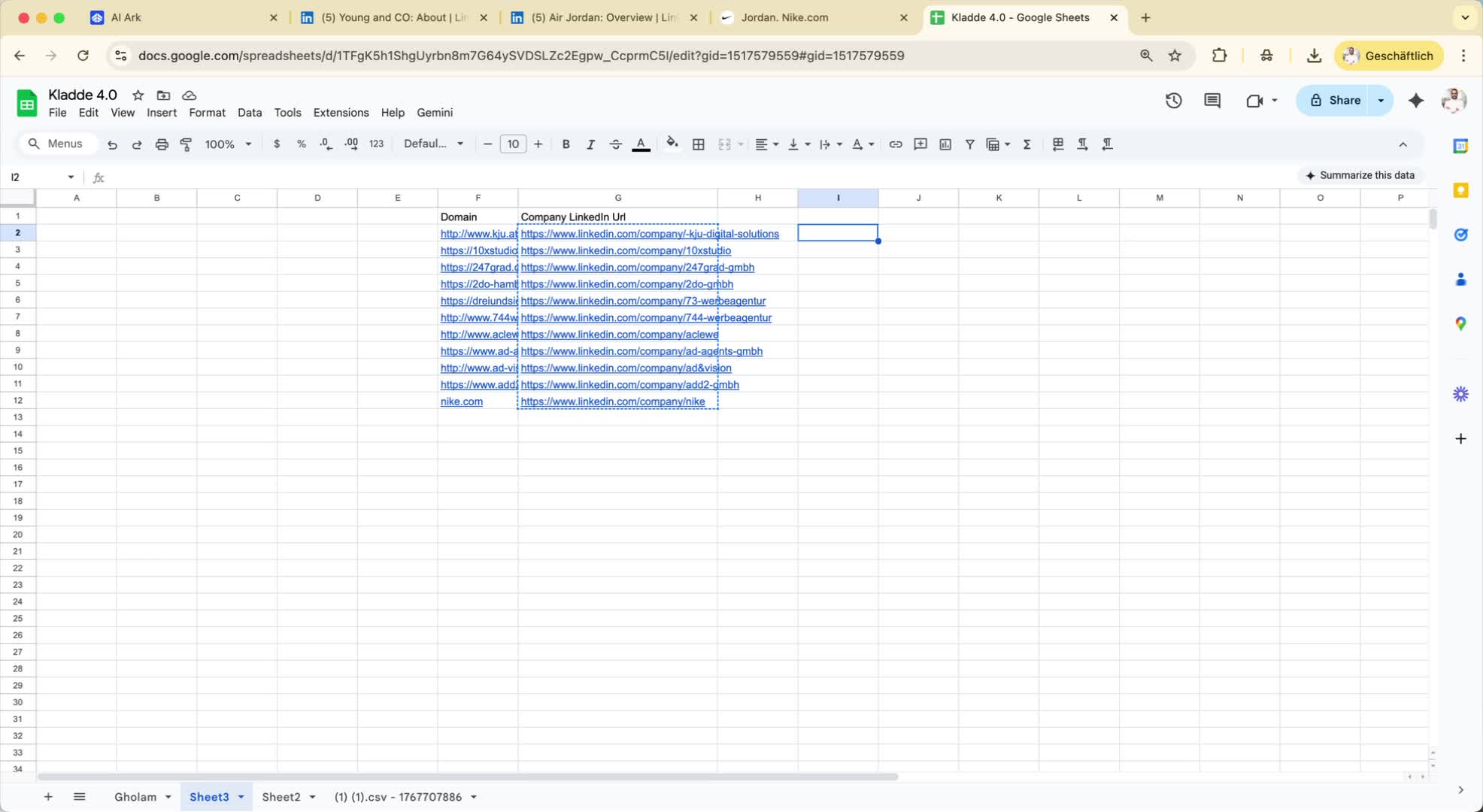
Step 1: Start with Domain Search 0:00
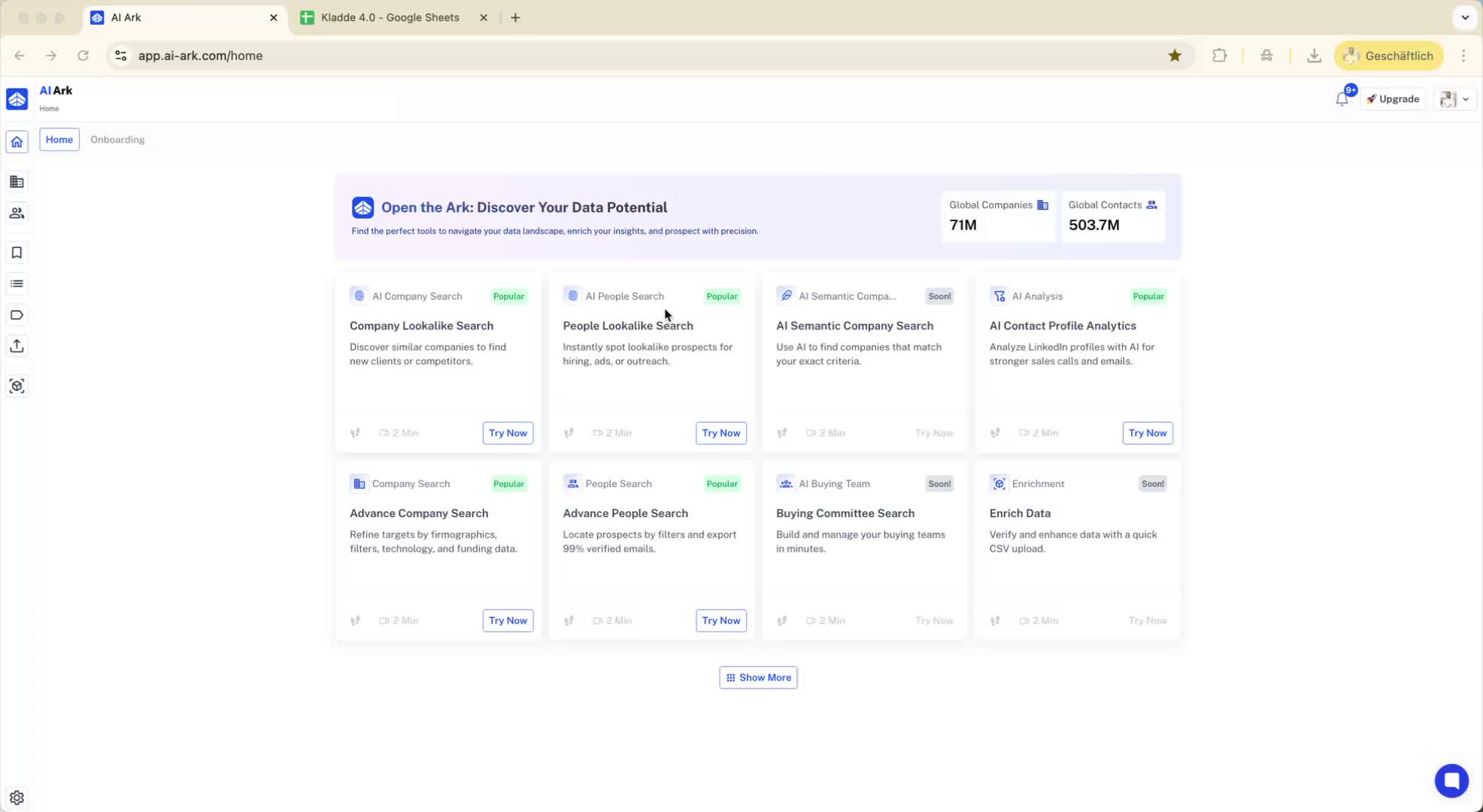
Begin by gathering a list of domains you want to investigate.
Use the company search feature:
Select the first 10 domains.
Click on 'company search' and then 'bulk include domain link'.
Add the domains and click 'search'.
Save and view the results with company details.
Step 2: Find People in Companies 0:30
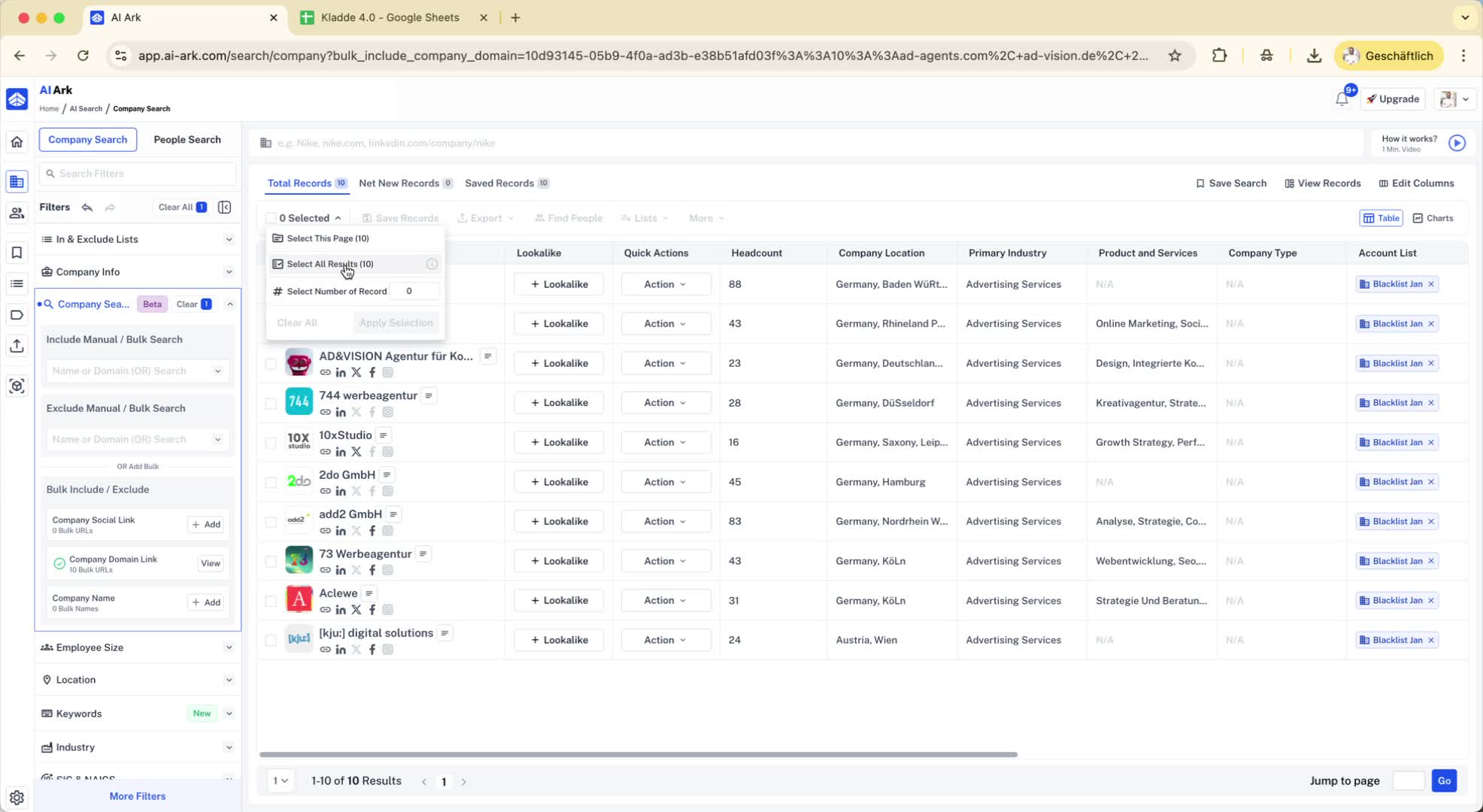
After retrieving the company details, select the companies you are interested in.
Click on 'find people' to discover individuals associated with those organizations.
Step 3: Direct People Search Option 0:39
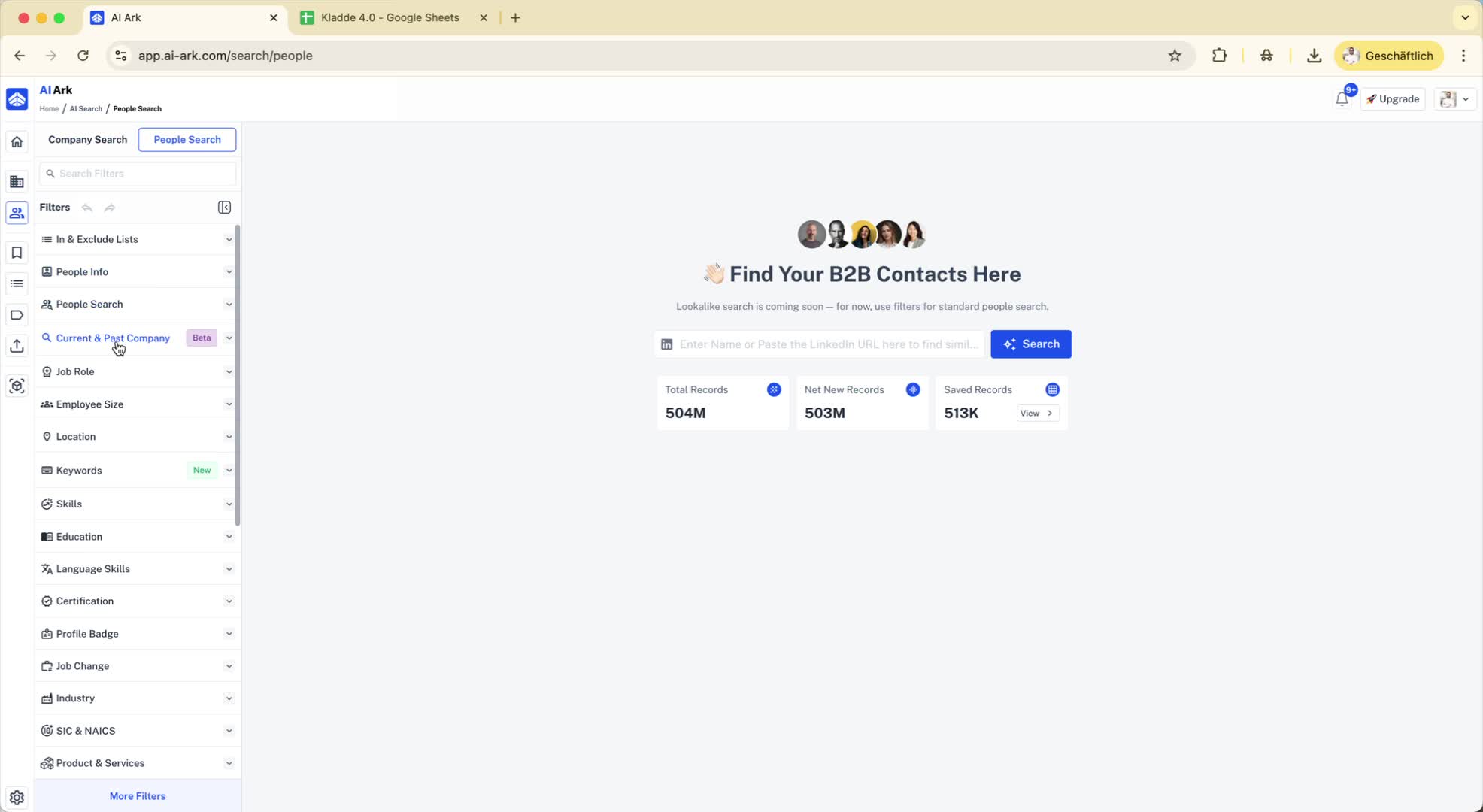
Alternatively, you can go directly to the people search feature:
Use the 'current and past company' filter.
Add your domains in the domain link section.
Click 'save and search' to view results.
Step 4: Understanding Result Discrepancies 1:06
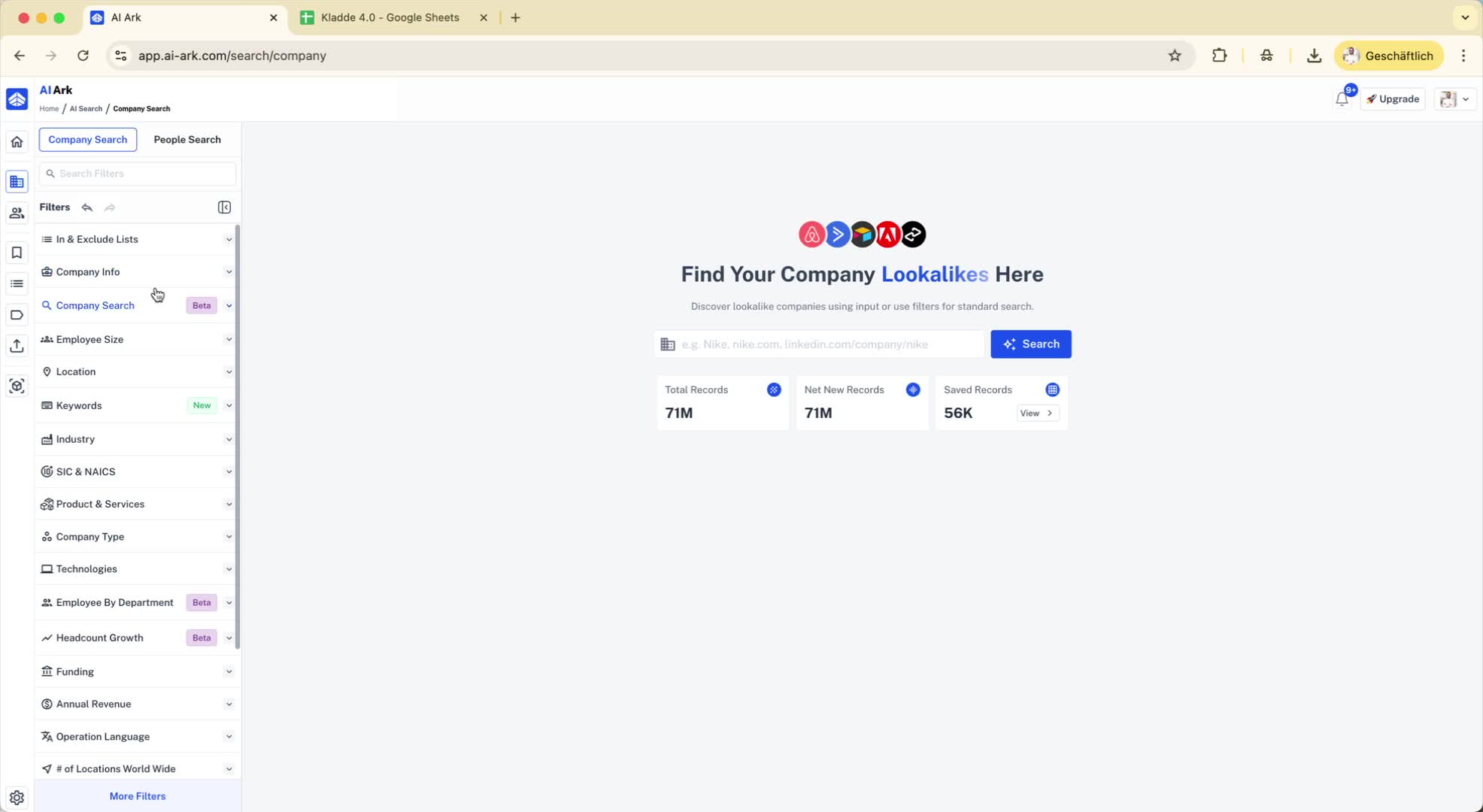
Be aware that adding certain domains (e.g., nike.com) may yield more results than expected (e.g., 42 results instead of 11).
This is due to multiple companies using the same domain.
Step 5: Common Domain Issues 1:28
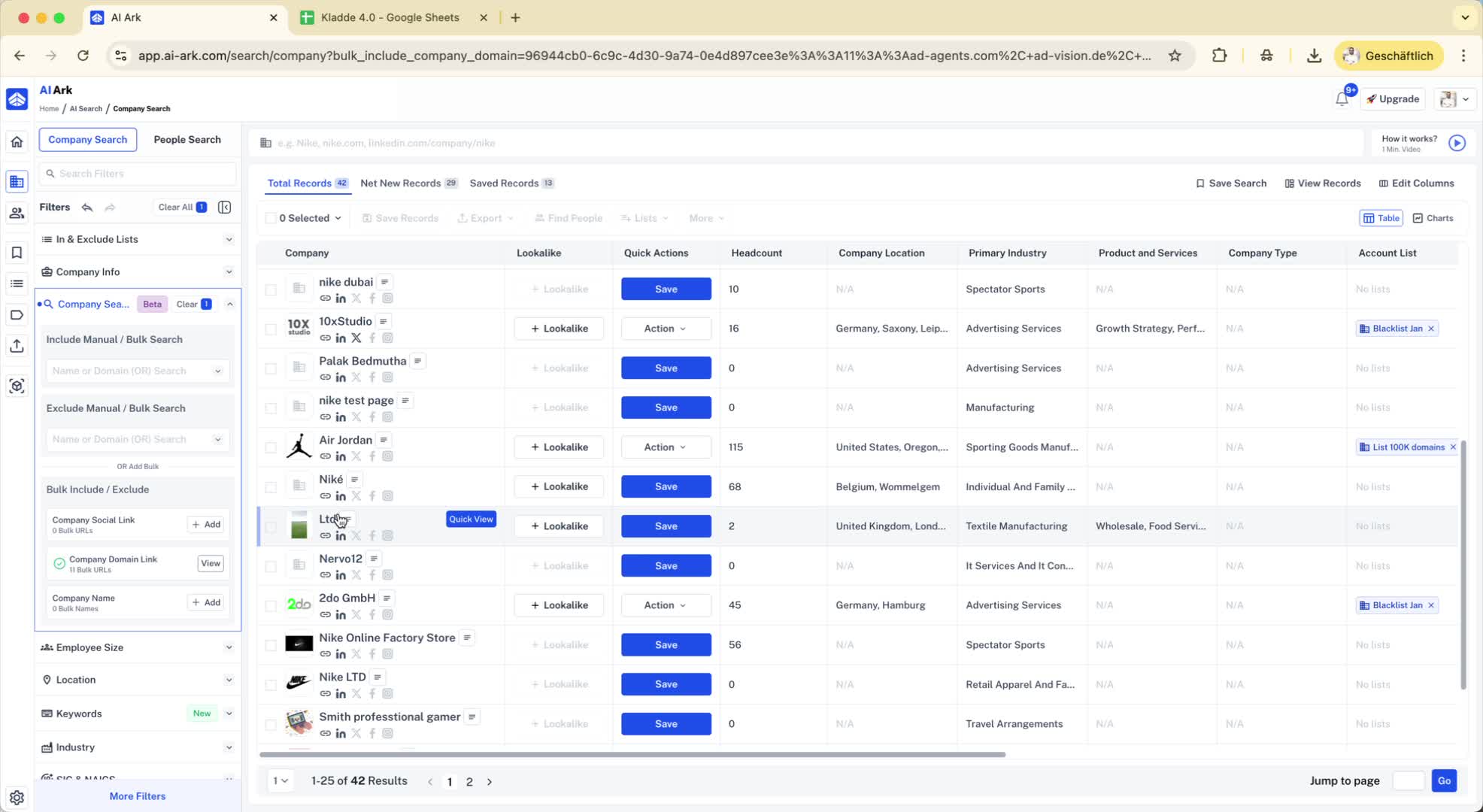
Recognize that common domains (e.g., wordpress.com) can lead to excessive results (e.g., 51,000 companies).
Many companies may have subdomains that complicate searches.
Step 6: Workaround for Domain Issues 2:24
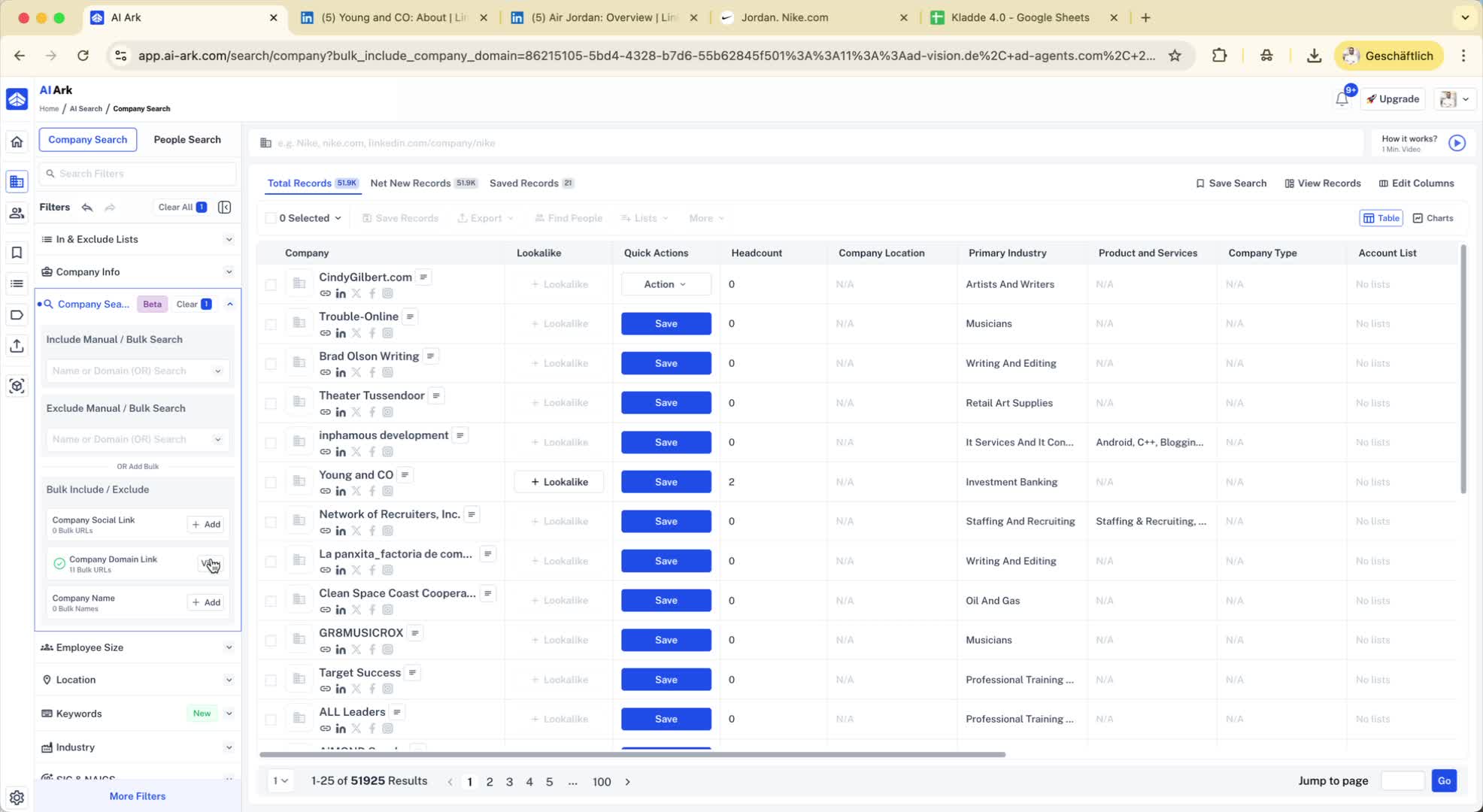
To mitigate the issue of irrelevant results:
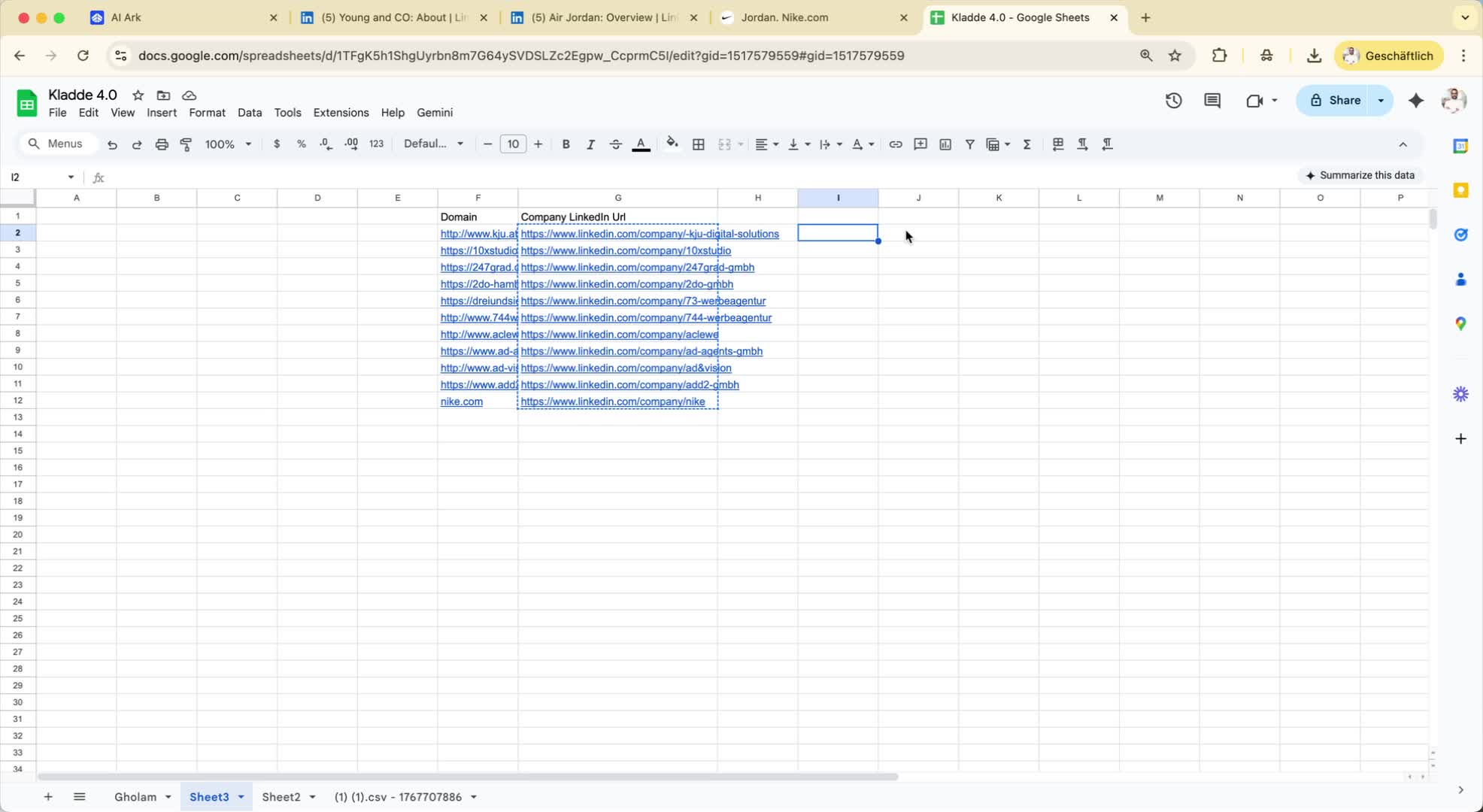
If you have company LinkedIn URLs, use them instead of domains.
In the company search, select 'company social link' and add the LinkedIn URLs.
Step 7: Confirming Accurate Results 3:00
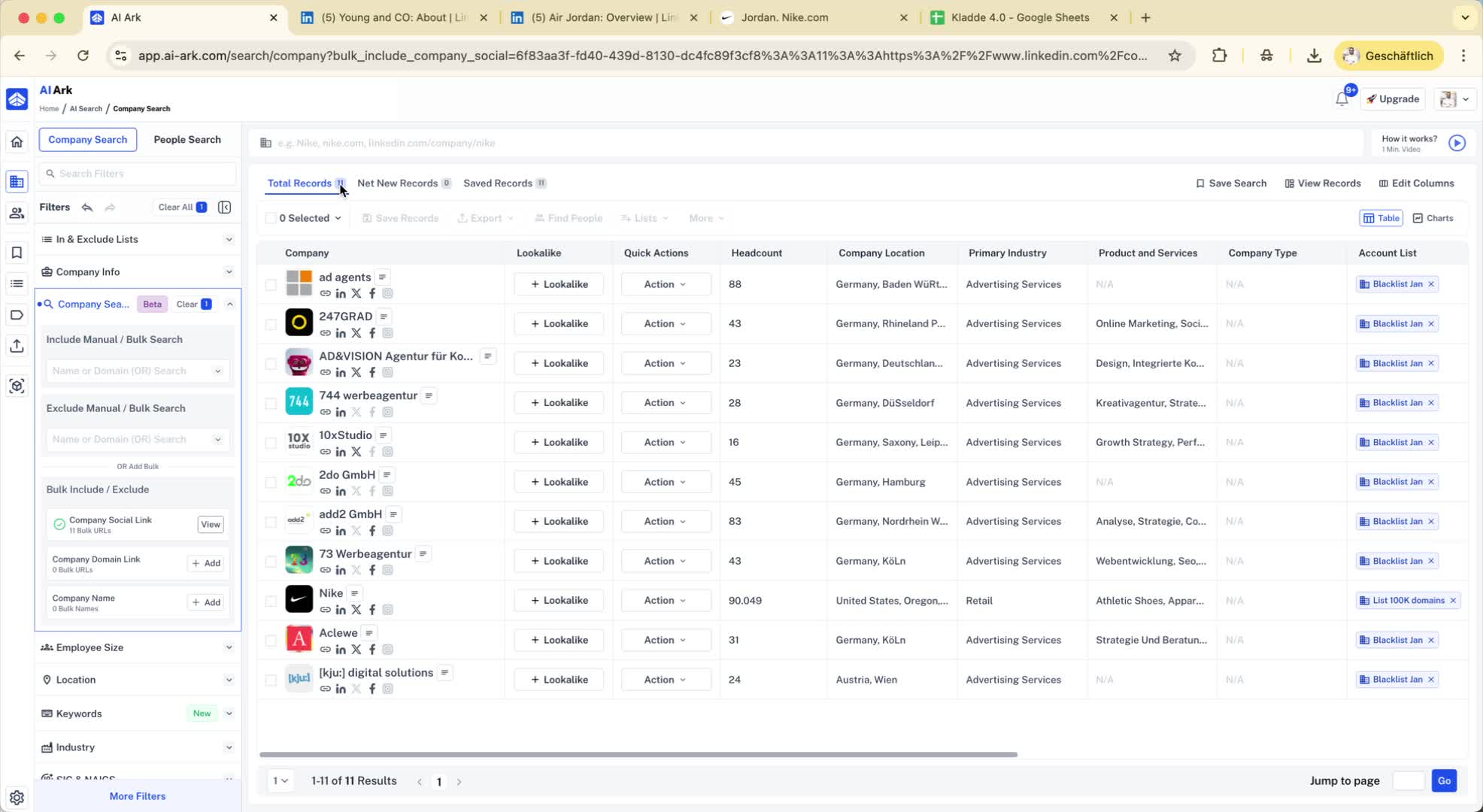
By using LinkedIn URLs, you should receive accurate results (e.g., exactly 11 results for Nike).
This method ensures you find the correct company without irrelevant entries.
Step 8: Future Improvements 3:16
The team is working on solutions to improve domain search accuracy.
For now, using LinkedIn URLs is the recommended workaround.
Step 9: Conclusion 3:34