AI Ark helps you find the right people and companies faster—with smart, customizable filters that cut through the noise. One of the most powerful tools at your fingertips: the Language Skills filter. It helps you find people based on the languages they speak or write—perfect for global hiring, localization roles, or market-specific outreach.
🎥 Watch how it works
Whether you’re building a multilingual team, looking for language-specific roles, or targeting professionals in different regions, the Language Skills filter makes it easy to identify the right candidates. Filter profiles based on spoken or written language skills to get more relevant, location-aware results.
Open AI Ark
Select People Search
Click on Language Skills
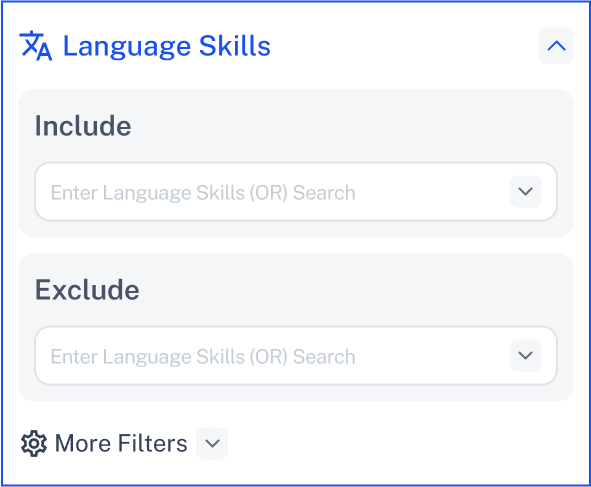
You can filter results using three logic types:
Shows profiles that include at least one of the languages you specify.
Use this when any of the selected languages is acceptable.
Example: Find people who speak French or Spanish.
Removes profiles that list any of the specified languages.
Use this when you want to avoid candidates with certain language skills.
Example: Exclude profiles that mention German or Russian.
We have two options inside the More Filtes:
Returns only profiles that include all the languages you specify.
Use this for roles that require multiple language skills.
Example: Find users fluent in English and Japanese.
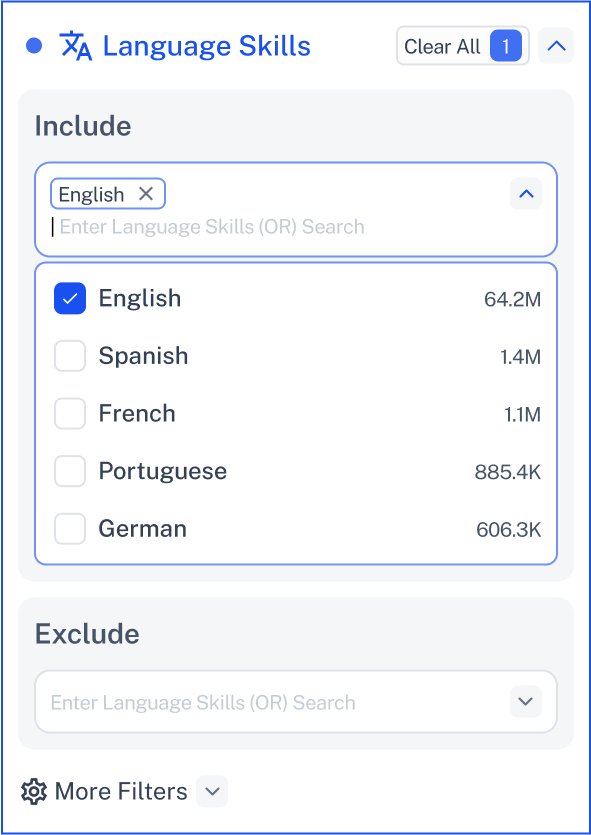
Example:
Set Min: 2 and Max: 4 to find users who speak between 2 and 4 languages.
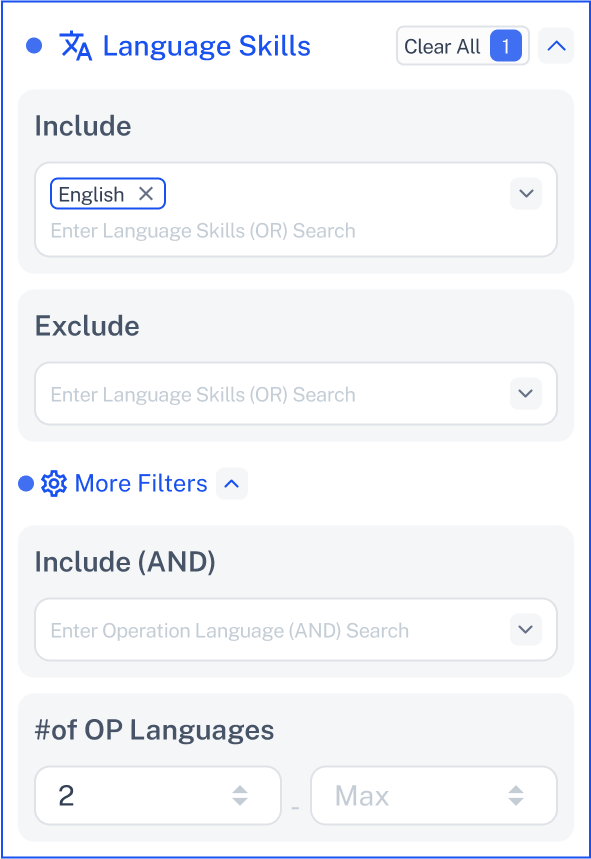
If you enter a Max value that’s smaller than the Min value, you’ll see an error.

✅ Fix it: Make sure the Max value is greater than the Min value.
You can view Language Skills Results in the Profile Insight section—available on the main page and in each person’s sidebar profile.
Click Contact Support—we’re ready to help any time.