AI Ark lets you switch to the Free Plan anytime, no questions asked. If you’re done with your current campaigns or just want to pause billing, downgrading is simple and immediate.
Downgrading to Free Plan allows you to:
Stop monthly billing immediately
Keep access to core features (with limits)
Retain your saved filters and history
Reactivate a paid plan anytime later
Ideal for:
Pausing outreach
Budget resets
Switching from high-volume to minimal use
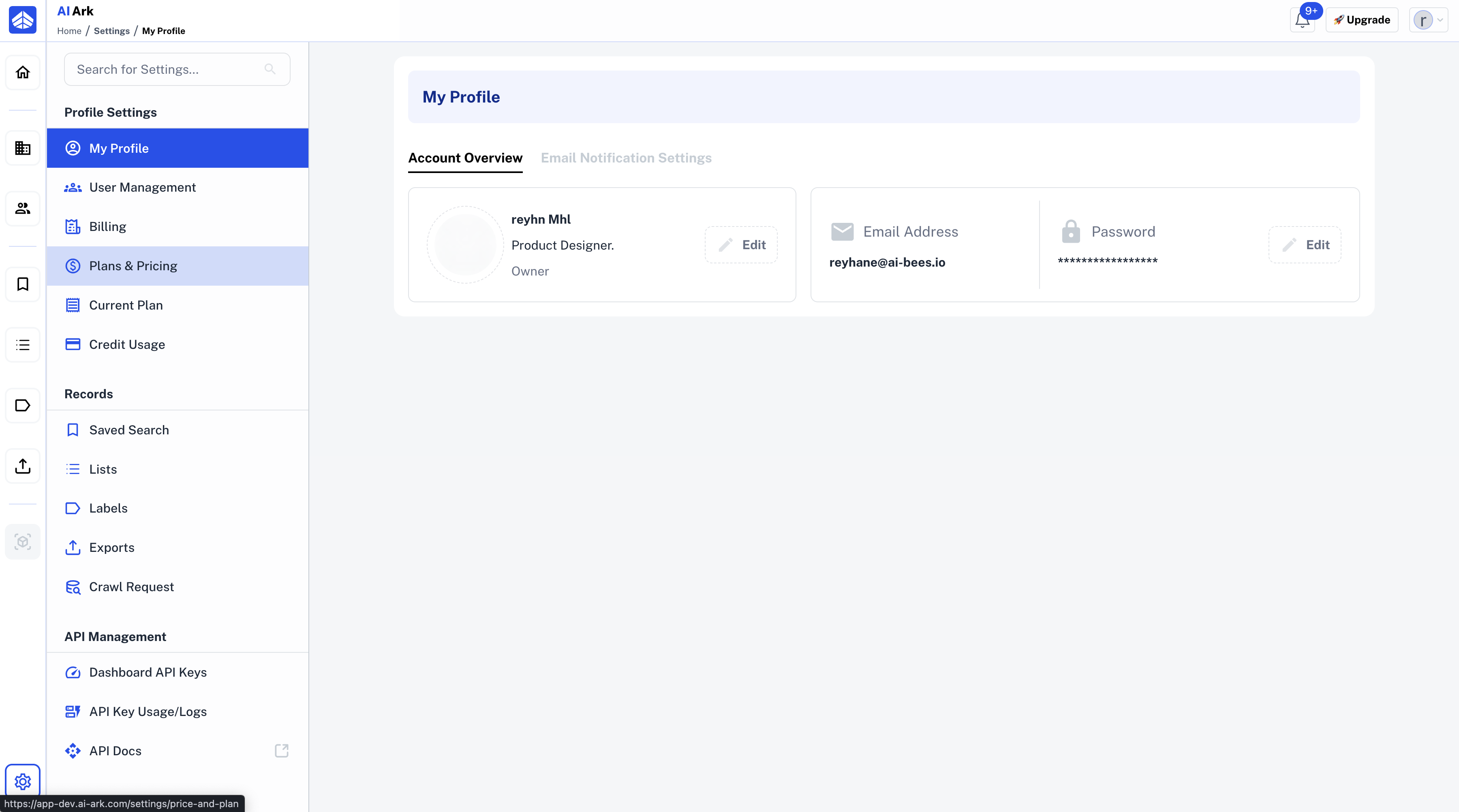
Go to the Plans & Pricing from the left sidebar.
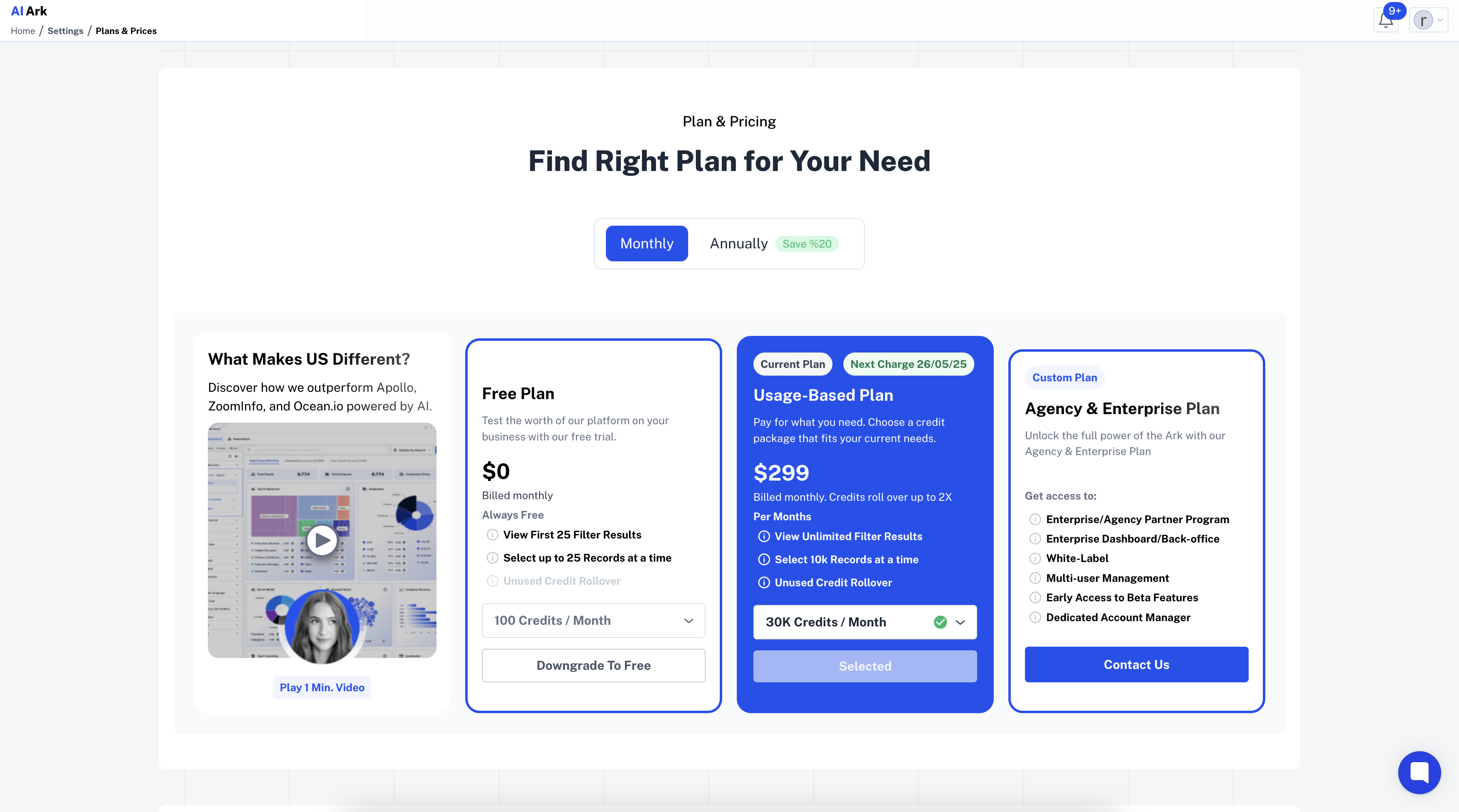
From the Plan & Pricing page, select the Free Plan.
You’ll see a popup showing:
Your current plan
The Free Plan
Downgrade effects: loss of rollover credits, reduced export access
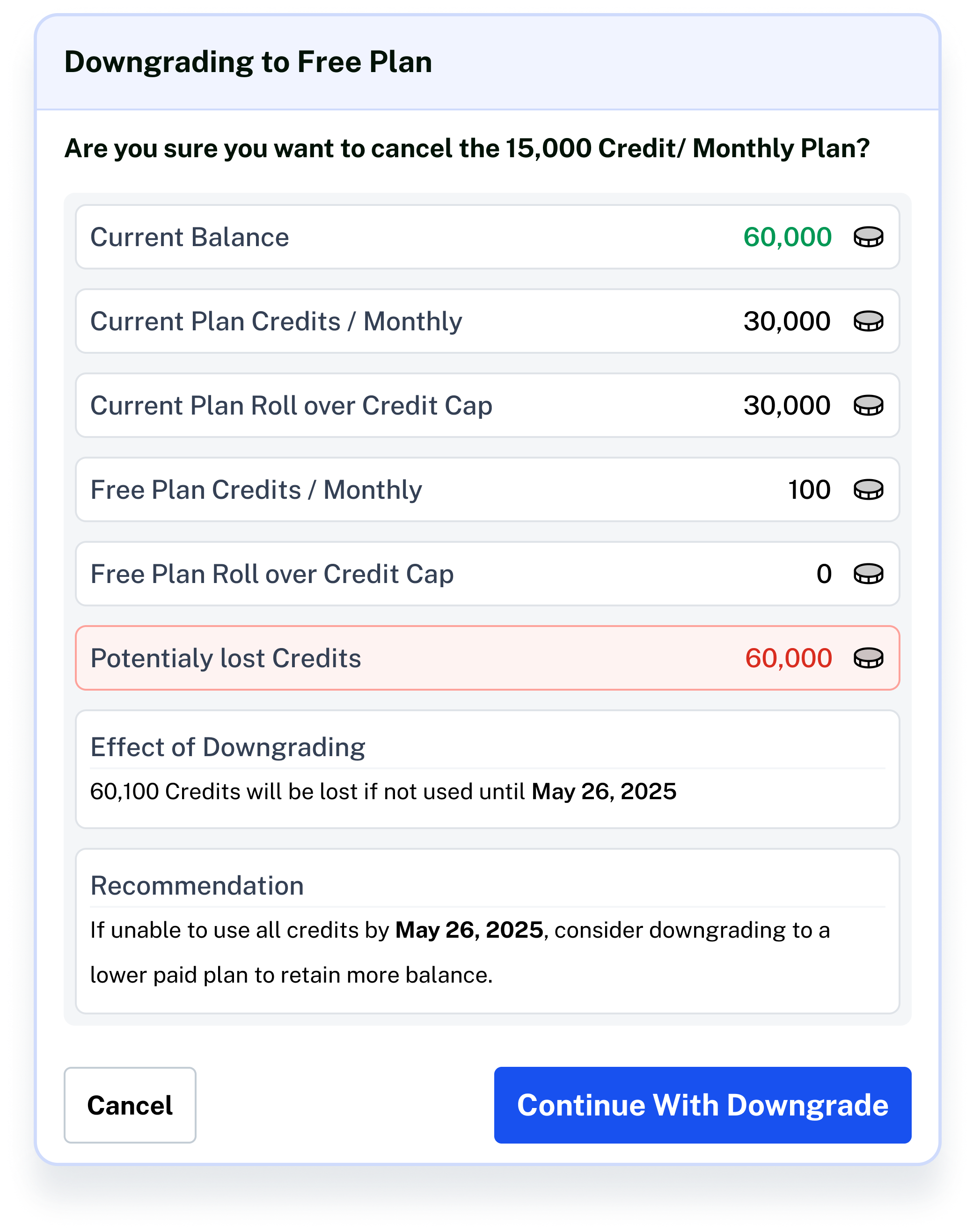
✅ Click “Confirm Downgrade to Free”
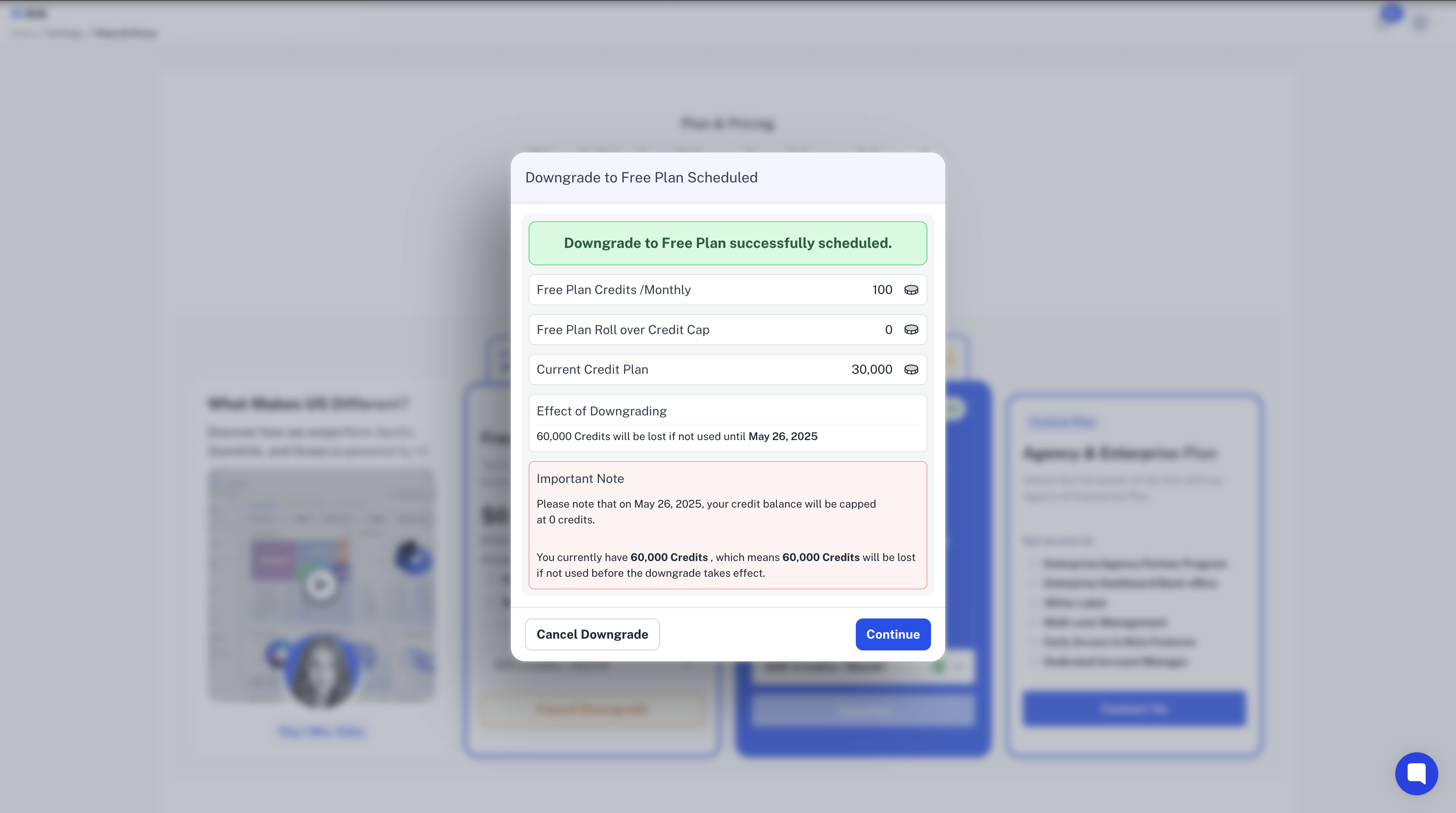
Once confirmed, a success message will appear.
Your plan will be updated to Free, and the plan card will be marked as Current Plan.
Click Contact Support—we’re ready to help any time.
