AI Ark lets you downgrade to a lower monthly credit tier at any time. The new tier is reflected immediately, with no loss of data.
Downgrading lets you:
Reduce your monthly credit amount and billing
Keep access to history, filters, exports, and teams
Adjust credits as needed during slow months
Feature access depends on the plan you downgrade to — see the note below
Ideal for:
Post-campaign periods
Smaller teams
Budget realignment
Before you downgrade, check which plan family you will land on. API access is included on the Free plan (with a small rate limit, enough for testing before you buy Builder), on Builder and on Scale, and on all legacy plans. The Starter plan does not include API access, CSV enrichment, MCP or CLI. CSV enrichment, MCP and CLI are included on Builder and Scale. If you downgrade from Builder or Scale to Starter, you will lose API access, CSV enrichment, MCP and CLI.
If you moved from a legacy plan to a current plan that does not include API access, in our current plans API access is included in Builder and Scale. Since you were a legacy customer, our team will check whether we can give you API access again and get back to you in this chat.
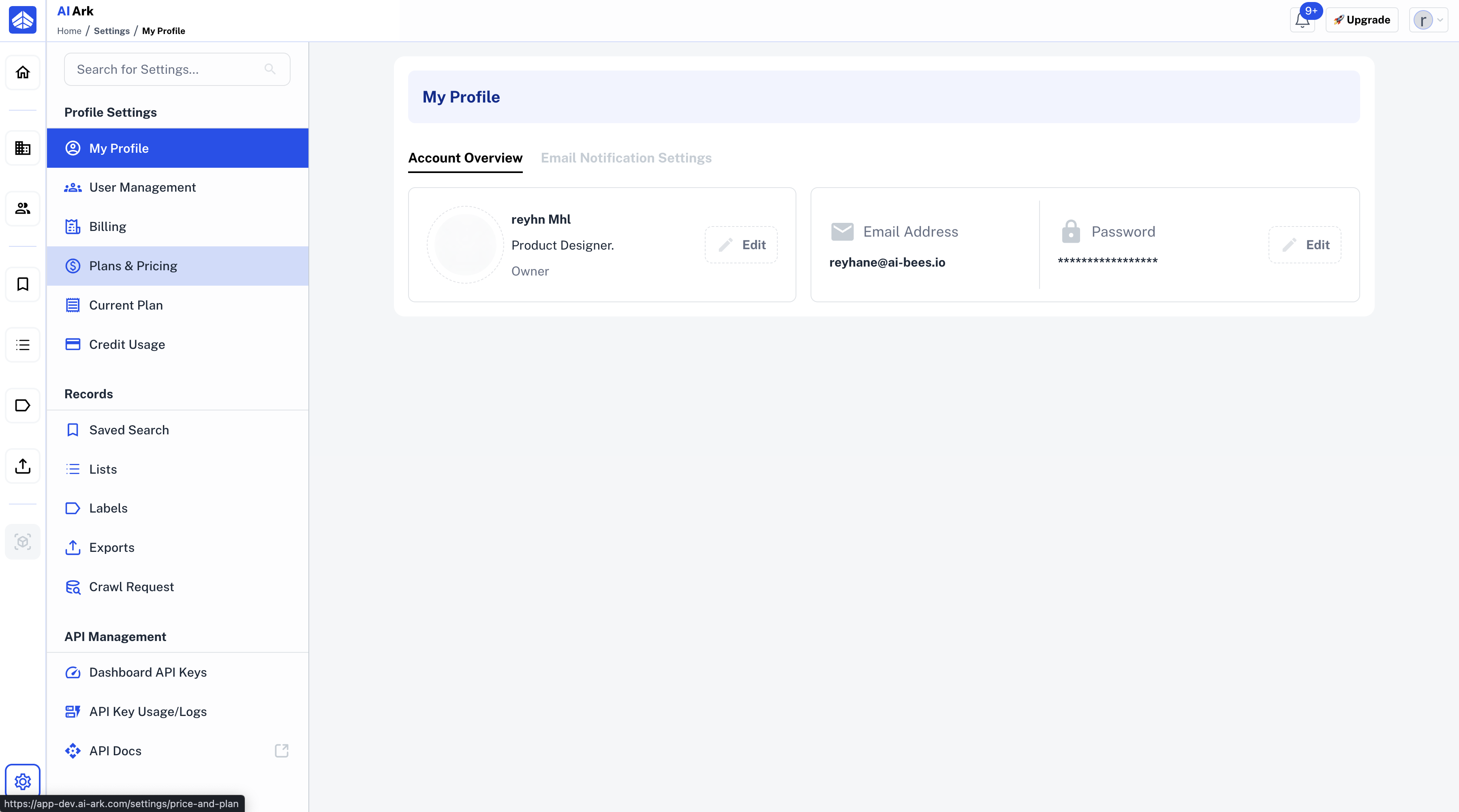
Go to the Plans & Pricing from the left sidebar.
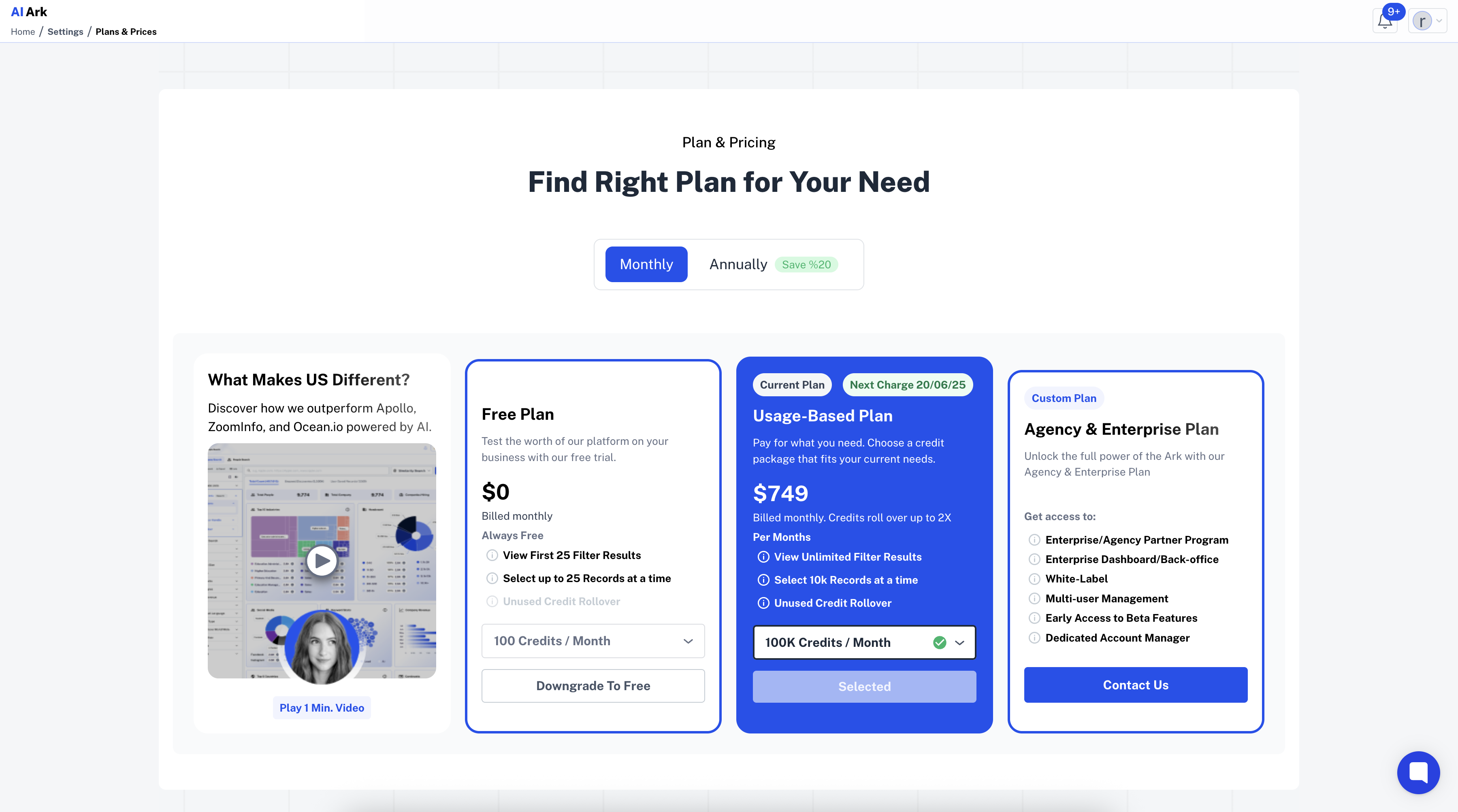
Click on X credits / Month → open the Credit Dropdown
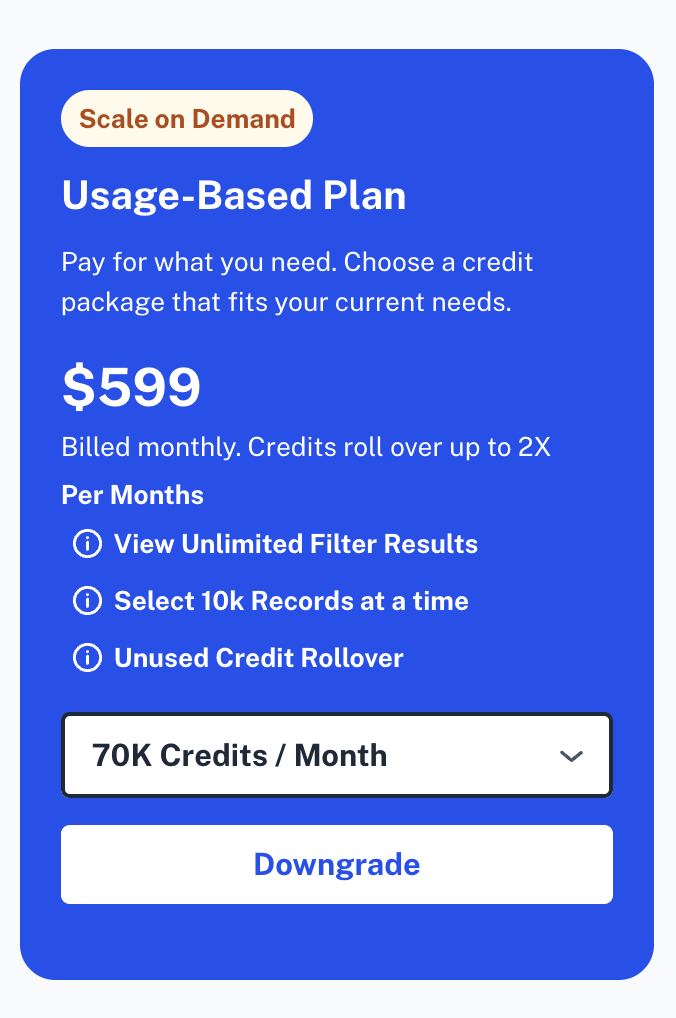
Choose a lower official credit package (for example, within Builder, 120,000 credits to 60,000 credits).
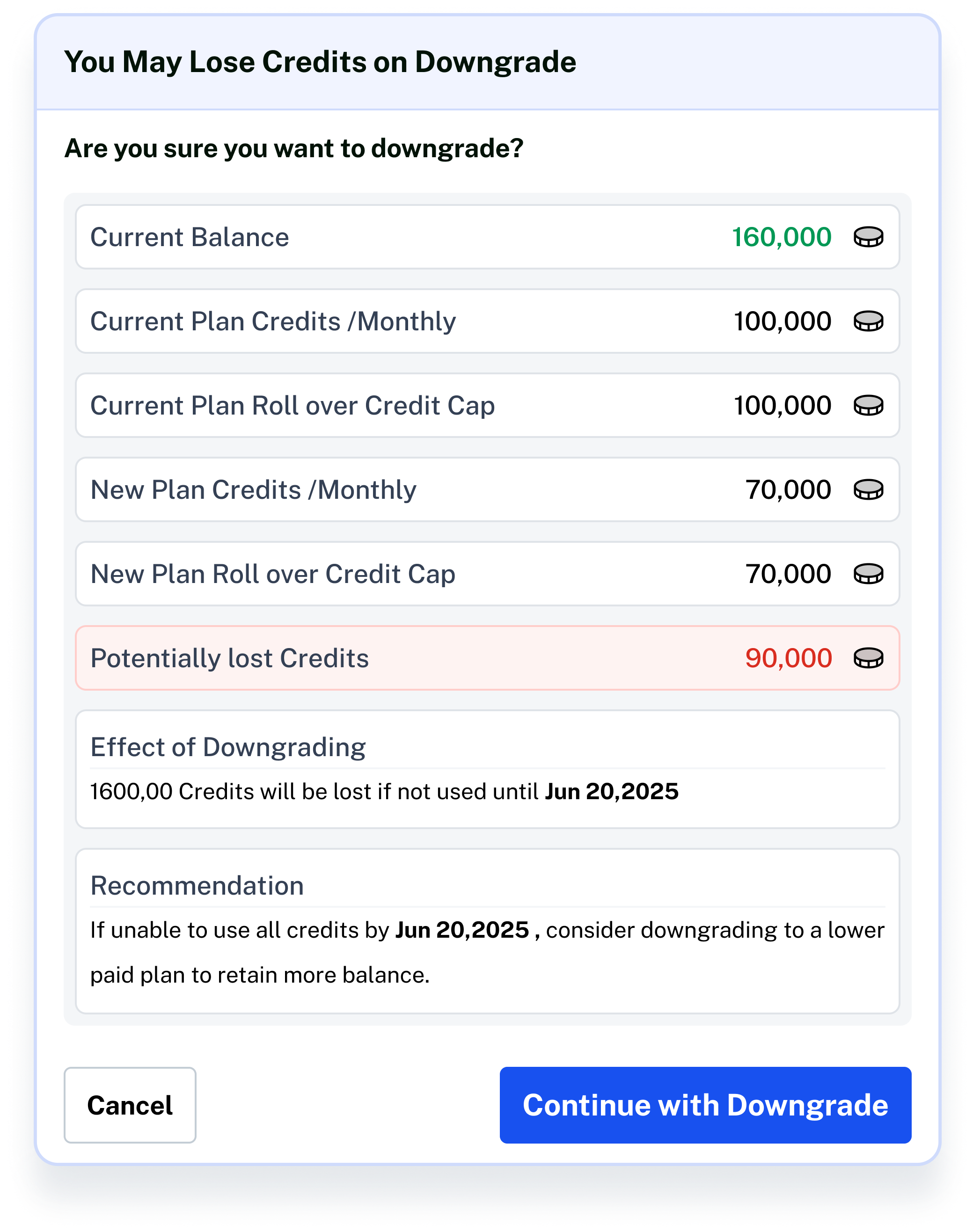
✅ Click Continue With Downgrade to apply the downgrade.
Your new tier will be reflected immediately.
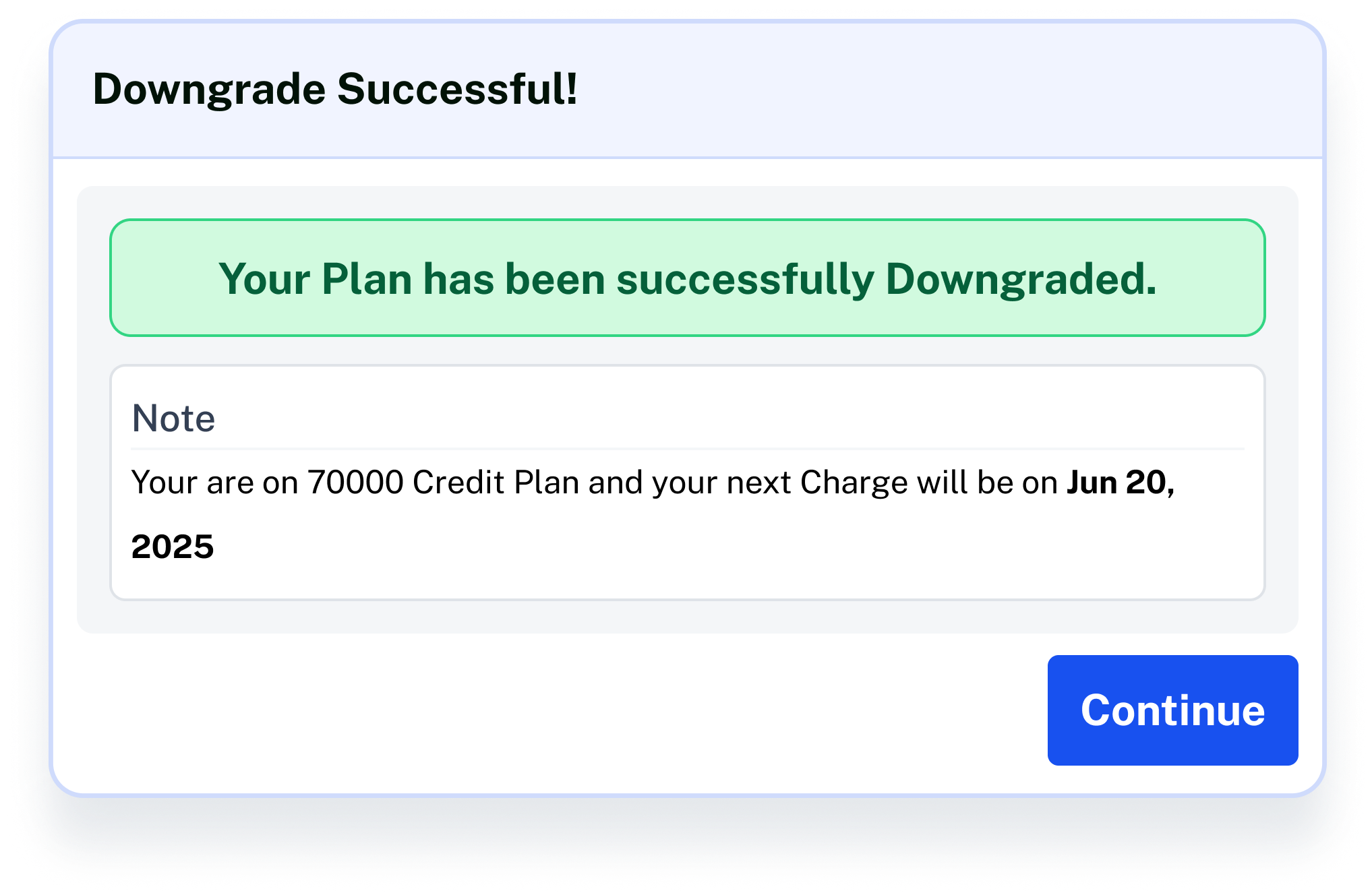
Once confirmed, a green success message appears.
Click Contact Support—we’re ready to help any time.