Already on a usage-based monthly plan but using fewer credits than expected? AI Ark allows you to downgrade your plan to a lower monthly credit tier at any time — no disruption, no loss of data.
Downgrading lets you:
Stay on the same plan with lower usage
Reduce billing cost without losing features
Keep access to history, filters, exports, and teams
Adjust credits as needed during slow months
Ideal for:
Post-campaign periods
Smaller teams
Budget realignment
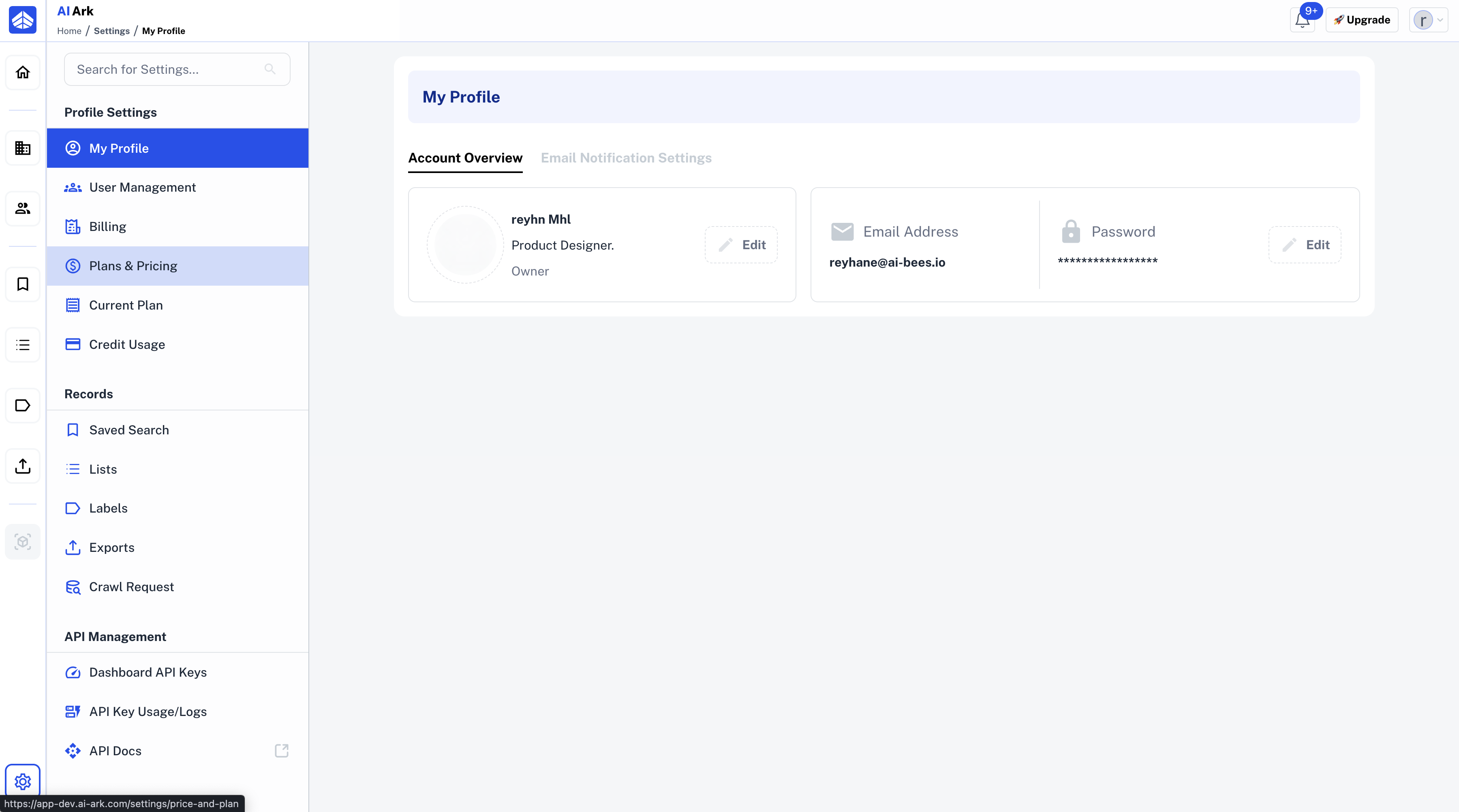
Go to the Plans & Pricing from the left sidebar.
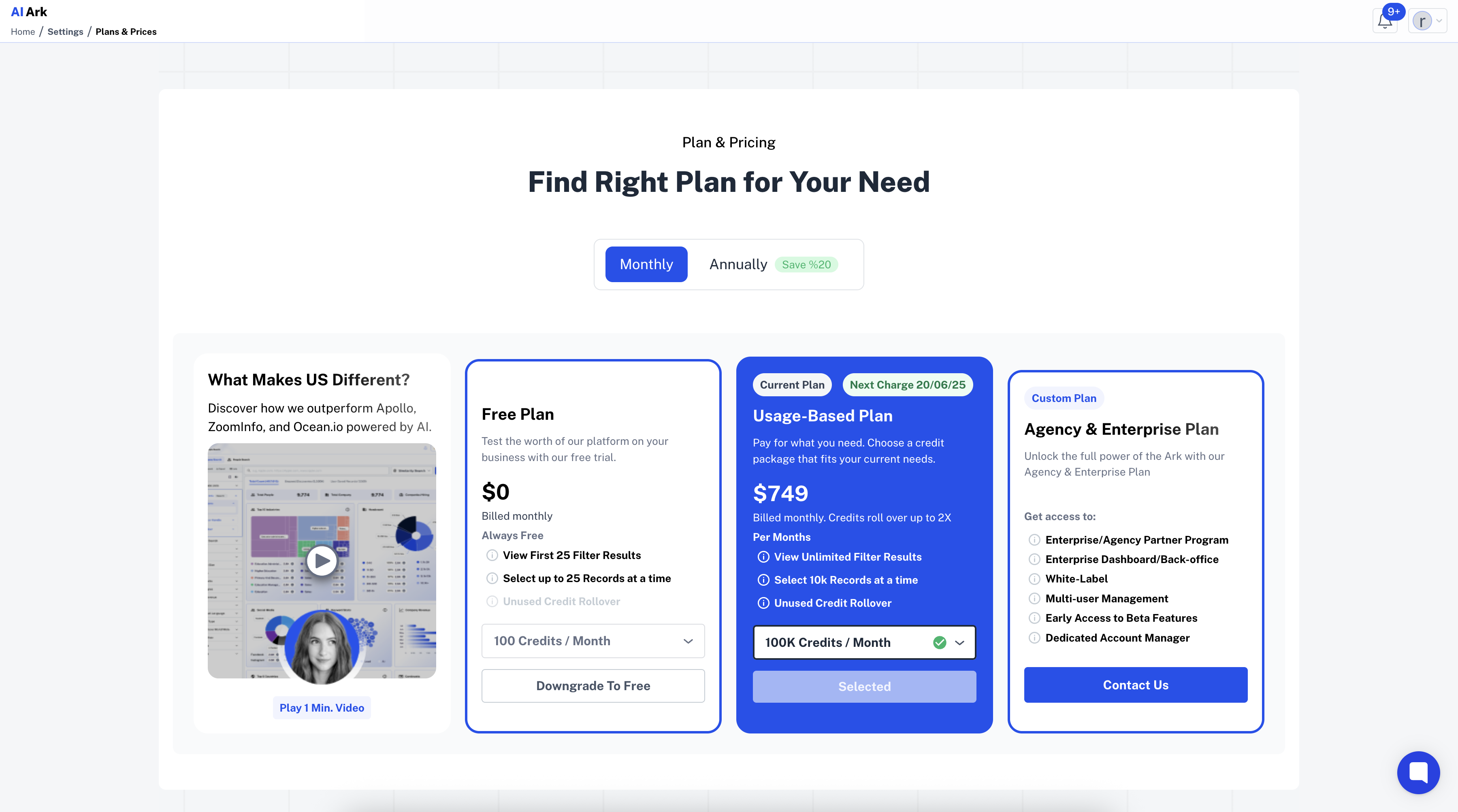
Click on X credits / Month → open the Credit Dropdown
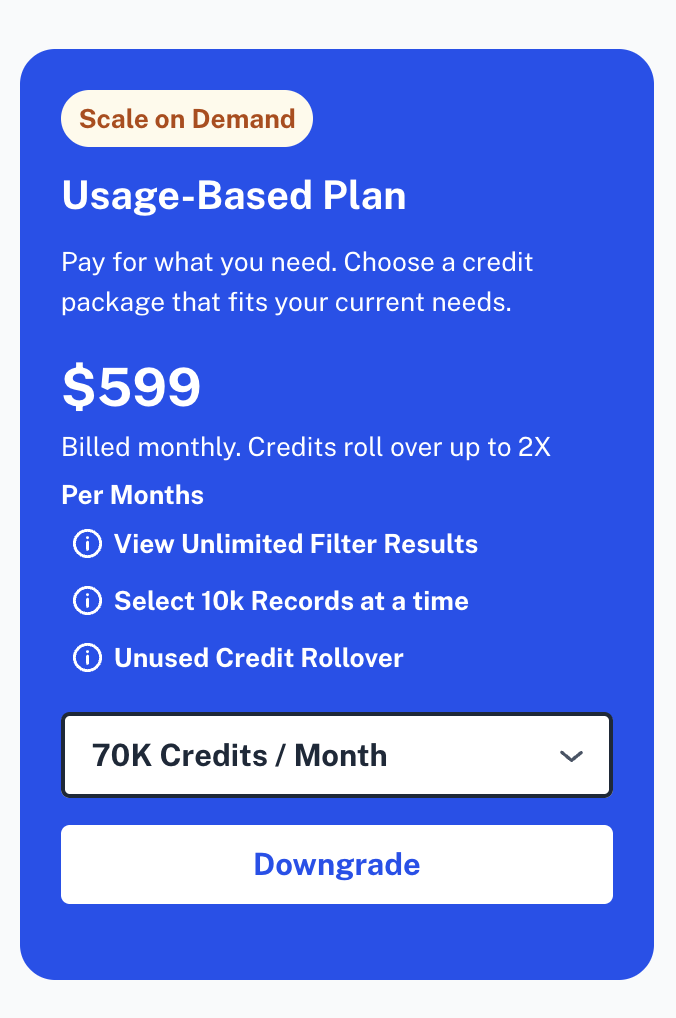
Choose the smaller credit package (e.g., 70K credits/month)
✅ Click Continue With Downgrade to apply the downgrade.
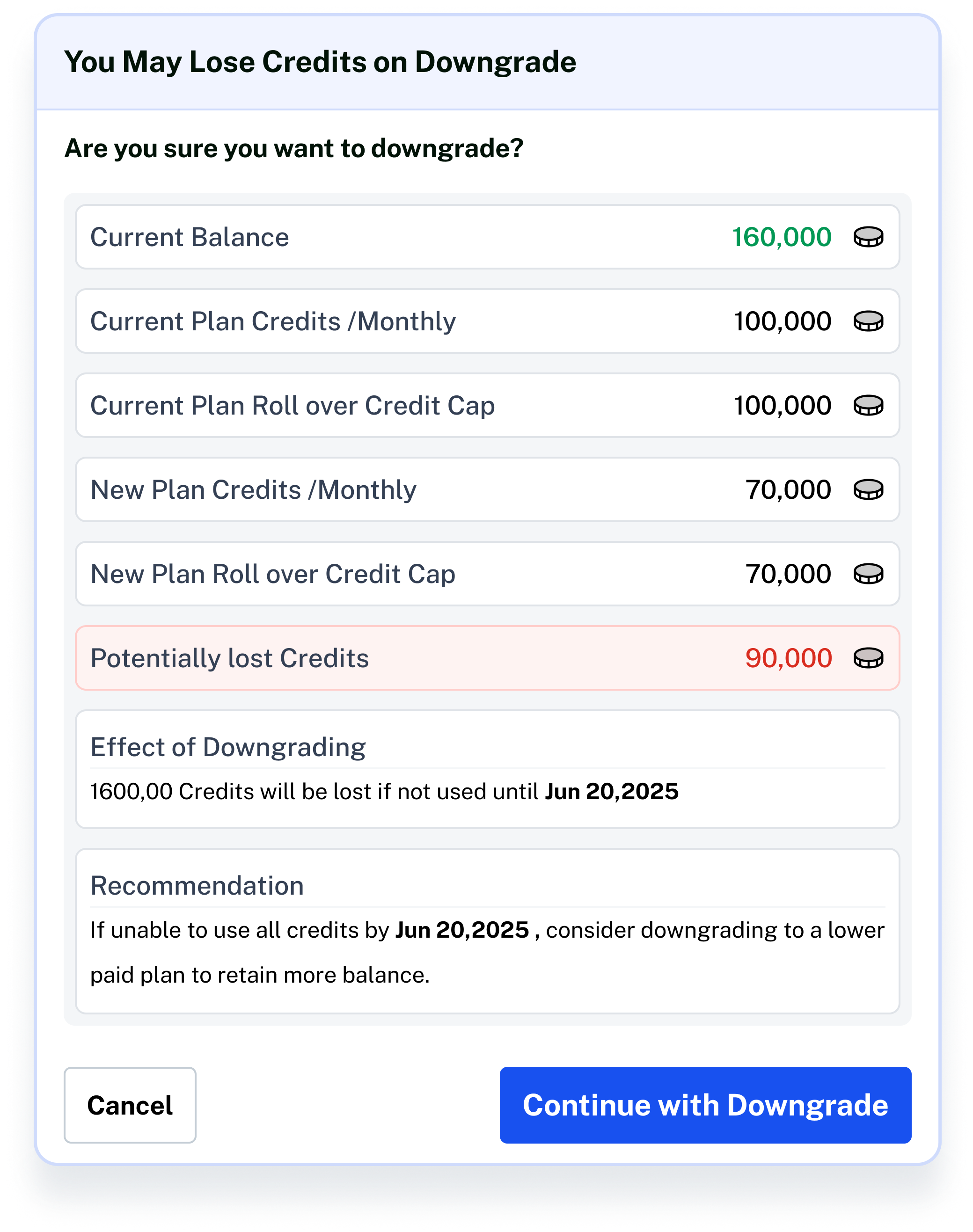
Your new tier will be reflected immediately.
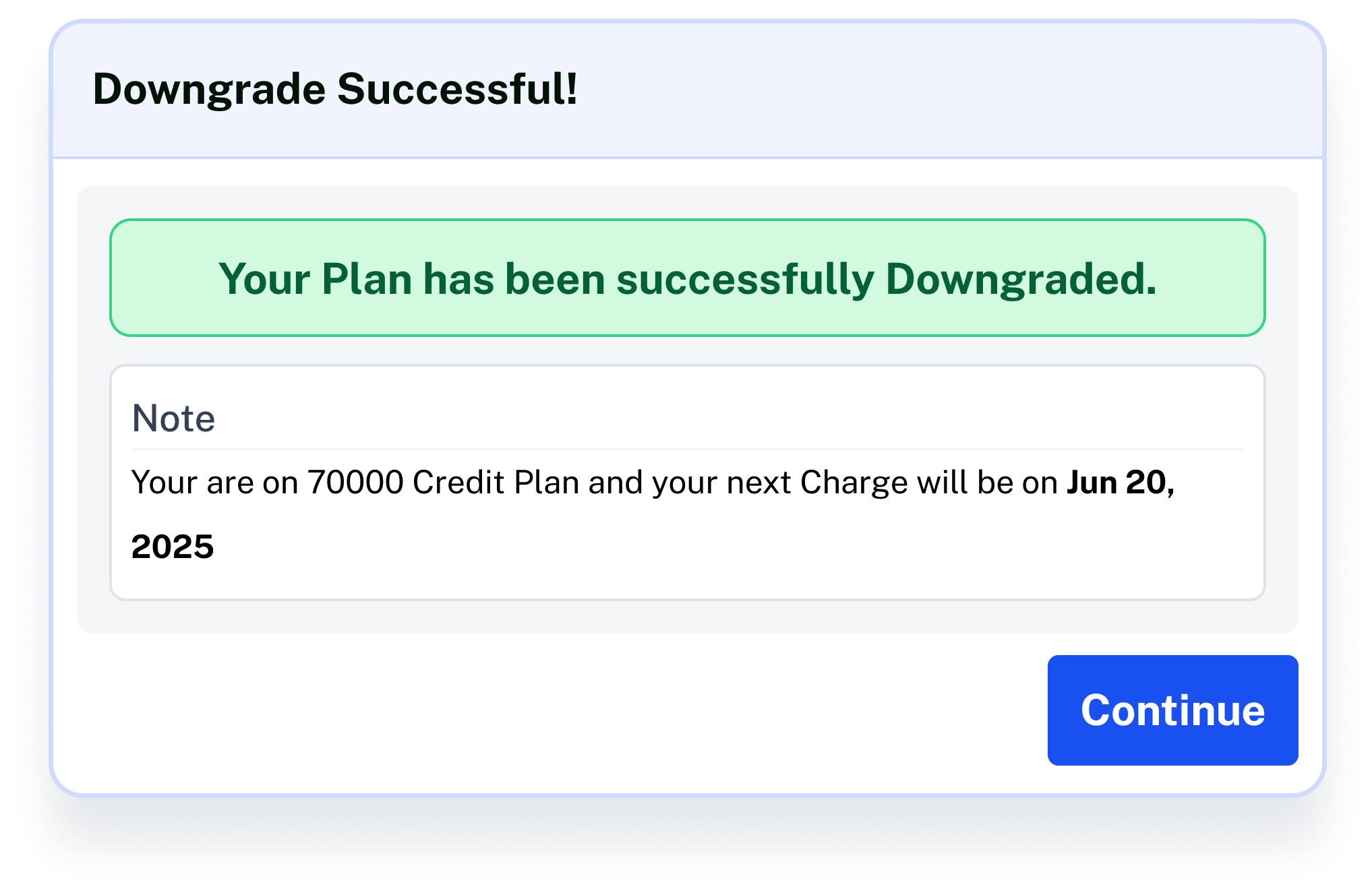
Once confirmed, a green success message appears.
Click Contact Support—we’re ready to help any time.
